Install in 3 steps — 60 seconds total
1 Sign up and get your widget code
Create a free account at app.svyazio.com. Go to Settings → Installation. Copy the widget snippet:
2 Paste into WordPress footer
Choose your preferred method:
Method A — WPCode plugin (easiest): Install the free "WPCode" (Insert Headers and Footers) plugin. Go to Code Snippets → Body. Paste the code. Save.
Method B — Theme file: Appearance → Theme File Editor → footer.php. Paste code before </body>. Save.
Method C — Elementor: Elementor → Custom Code → Footer. Paste. Save.
✓ Chat widget appears instantly
The Svyazio widget is now visible on every page of your WordPress site. Visitors can start chatting immediately. You reply from the Svyazio dashboard or mobile app.
Why a JavaScript snippet beats a plugin
Zero server overhead
WordPress plugins run PHP on every page load — adding database queries and execution time. Svyazio loads client-side only with defer. No server-side processing, no impact on TTFB or Core Web Vitals.
No security risks
WordPress plugins are the #1 attack vector. Svyazio never touches your WordPress database, admin panel, or server files. Client-side only = zero attack surface on your server.
Shadow DOM isolation
The widget renders inside Shadow DOM — an isolated container that prevents your theme's CSS from breaking the widget, and the widget from affecting your theme. Zero conflicts with any WordPress setup.
Auto-updates via CDN
The widget script always delivers the latest version — no manual updates, no plugin compatibility issues, no "Update now" notifications in your WordPress admin. It just works.
Tested and compatible with
Page builders: Elementor, Gutenberg, Divi, Beaver Builder, WPBakery, Oxygen
Themes: Astra, GeneratePress, Kadence, OceanWP, Hello Elementor
E-commerce: WooCommerce, Easy Digital Downloads
SEO: Yoast SEO, Rank Math, All in One SEO
Caching: WP Fastest Cache, LiteSpeed, W3 Total Cache
Security: Wordfence, Sucuri, iThemes Security
Hosting: SiteGround, Kinsta, WP Engine, Cloudways
WordPress: 5.x, 6.x, Multisite
Pricing for WordPress users
- Free Starter: 1 agent, 50 chats/month — perfect for blogs and portfolios
- Business ($19/mo): email integration, saved replies, typing preview, internal notes — great for business sites
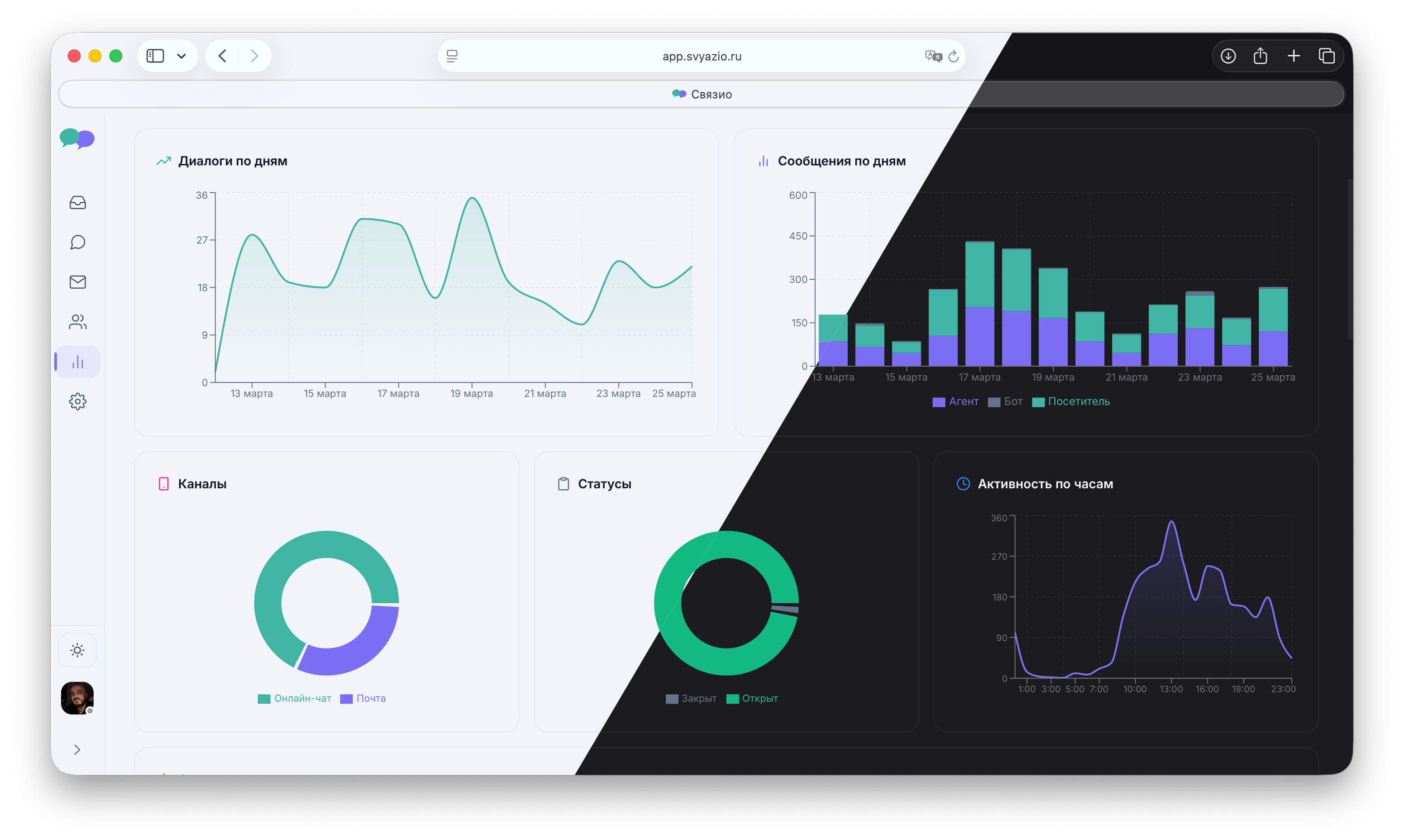
- Pro ($39/mo): Telegram, AI assistant, departments, analytics, white-label — full package for WooCommerce and agencies
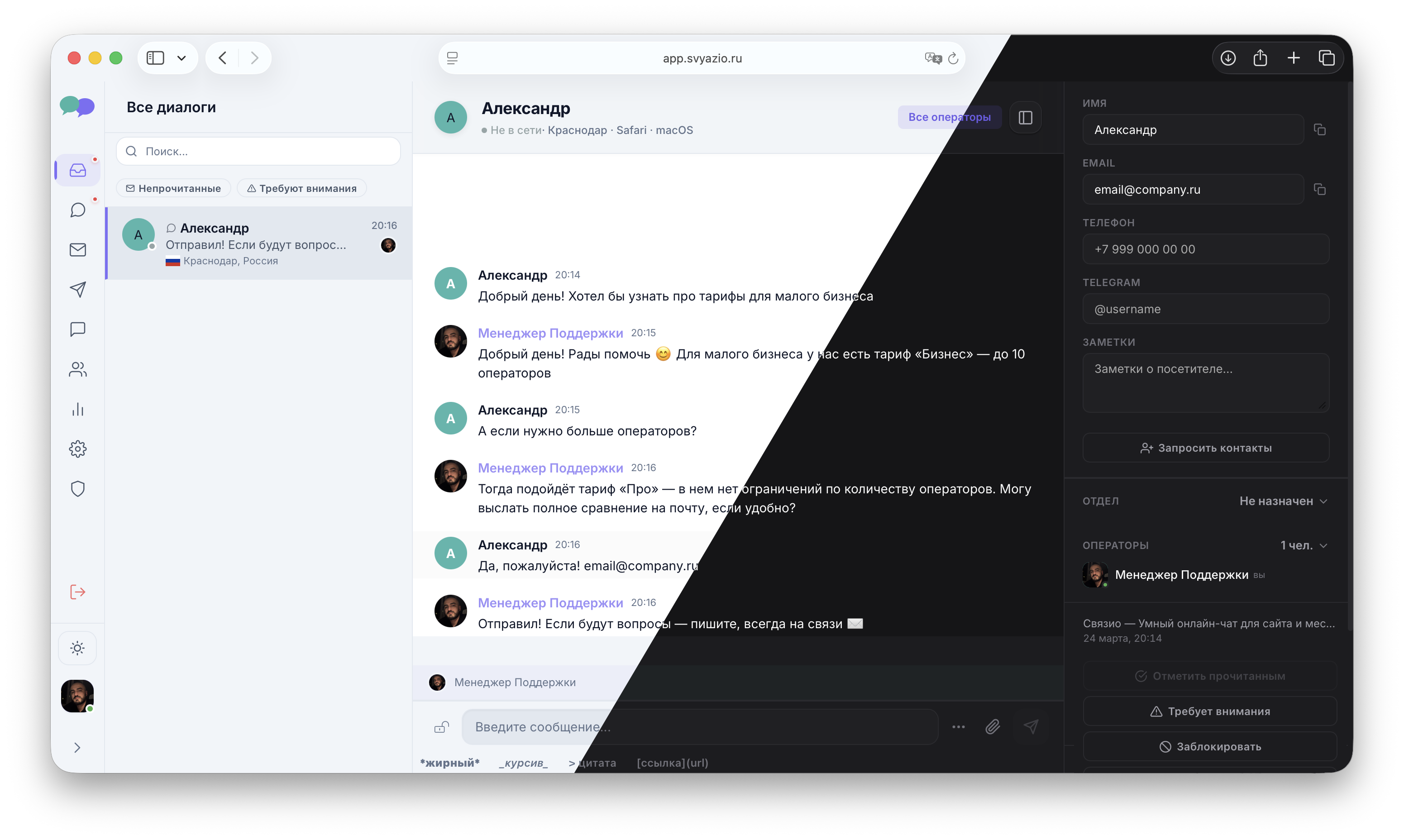
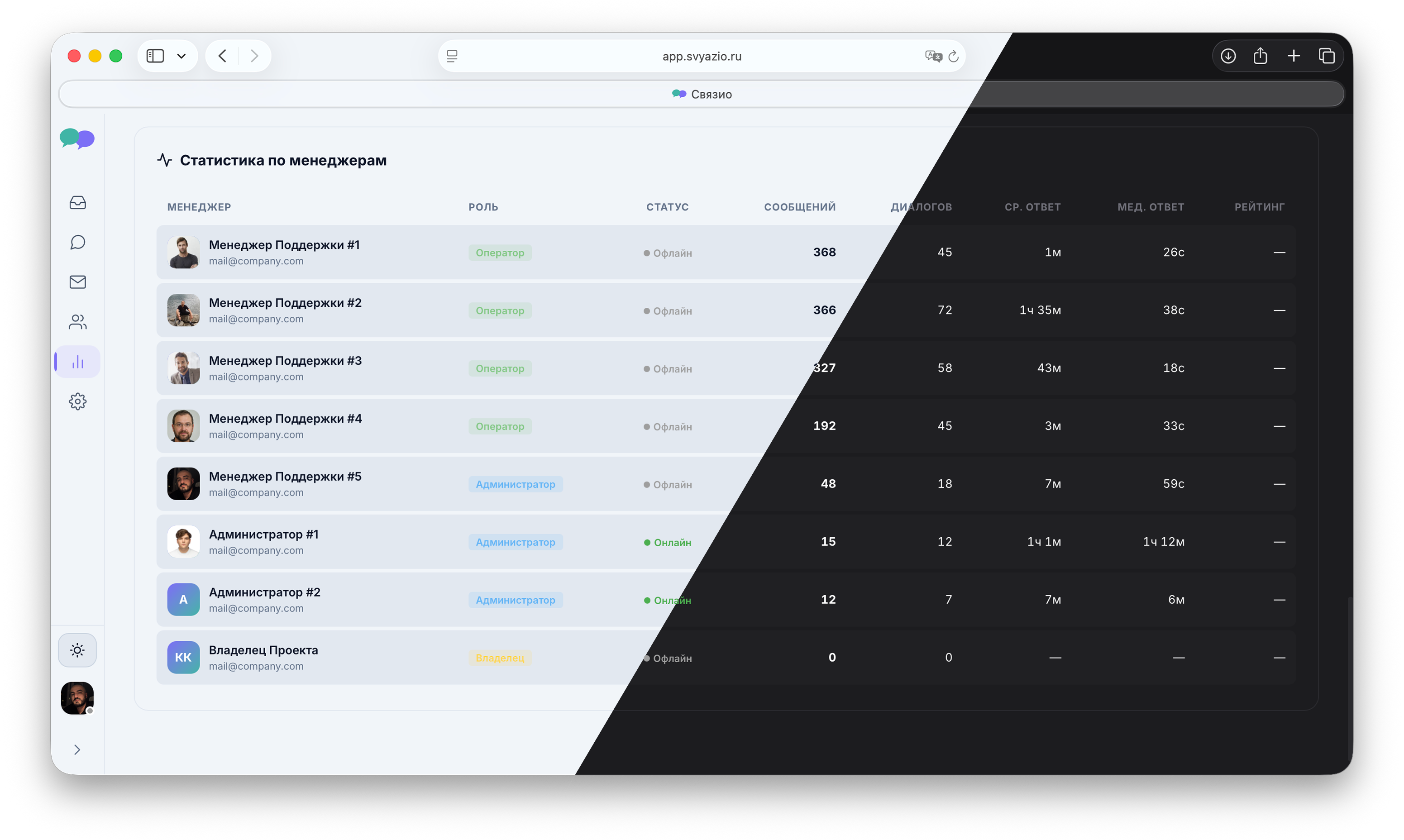
Dashboard your WordPress visitors will love
Simple, fast, and designed for real-time support
Frequently asked questions
defer. No server-side PHP execution. No database queries. Zero impact on Core Web Vitals — unlike traditional WordPress plugins.