How to install on Shopify
1 Get your widget code
Sign up at app.svyazio.com (free). Go to Settings → Installation and copy the widget snippet.
2 Open Shopify theme editor
In your Shopify Admin, go to Online Store → Themes → Actions → Edit code. Open the file theme.liquid.
3 Paste the code
Find the closing </body> tag and paste the Svyazio script just before it:
Click Save.
✓ Chat widget is live on your store
The chat widget now appears on every page of your Shopify store — homepage, product pages, cart, checkout, and blog. Visitors can start chatting instantly.
Why Shopify store owners choose Svyazio
Reduce cart abandonment
69% of shopping carts are abandoned. Many shoppers leave because they have unanswered questions about shipping, sizing, or returns. Live chat lets you answer instantly — turning hesitation into completed orders.
Chat + Telegram + Email inbox
Some customers chat on your store. Others message via Telegram. Some email. All conversations appear in one inbox. Reply from one dashboard — no context lost, no messages missed.
Mobile apps for on-the-go
Get push notifications when a shopper messages your store. Reply from iOS or Android. Many Shopify store owners run their business from their phone — Svyazio's mobile apps make this seamless.
Shadow DOM — no theme conflicts
Shopify themes have their own CSS. Chat widgets shouldn't break your store's design. Svyazio renders inside Shadow DOM — isolated from your theme's styles. Works perfectly with Dawn, Debut, Brooklyn, and any custom theme.
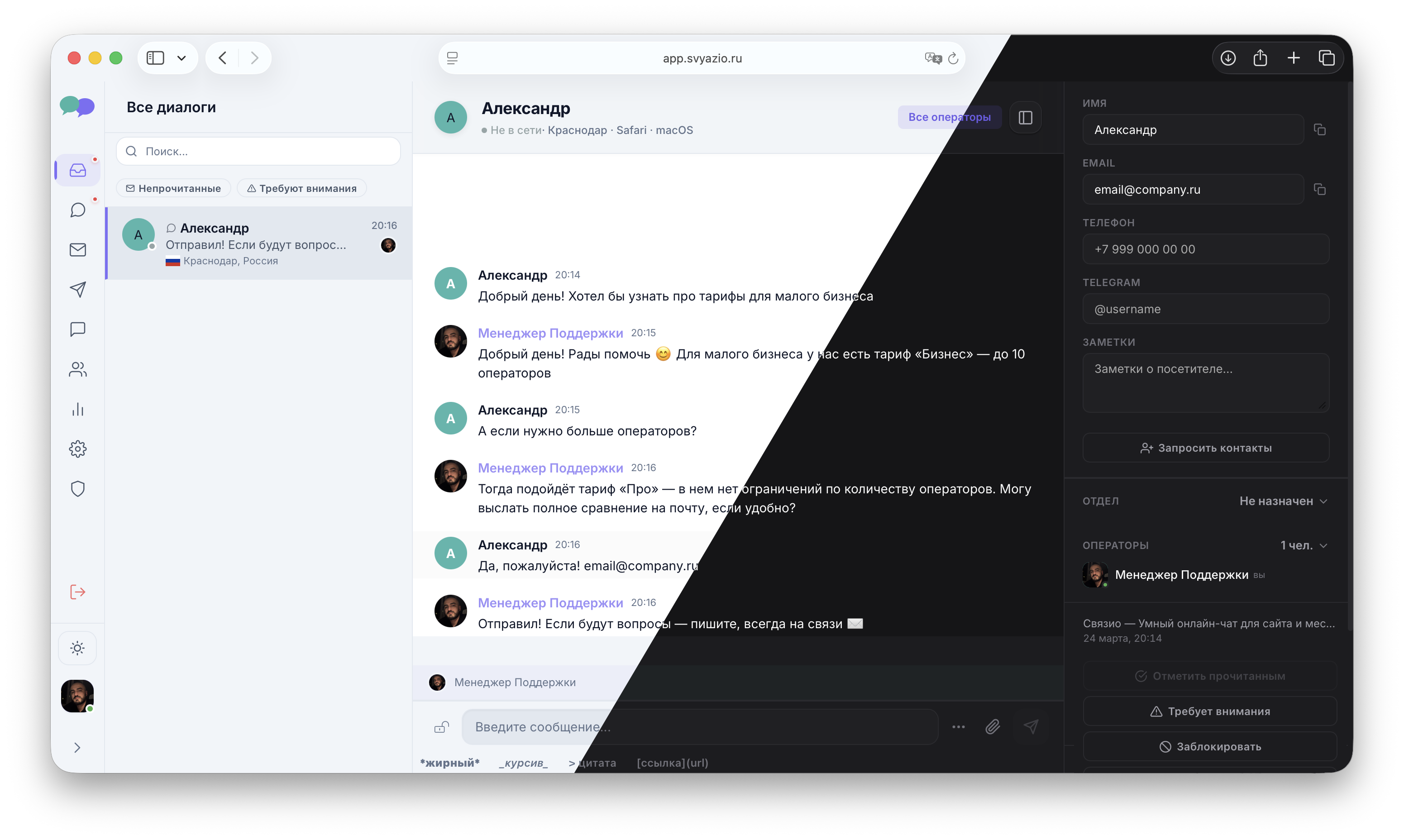
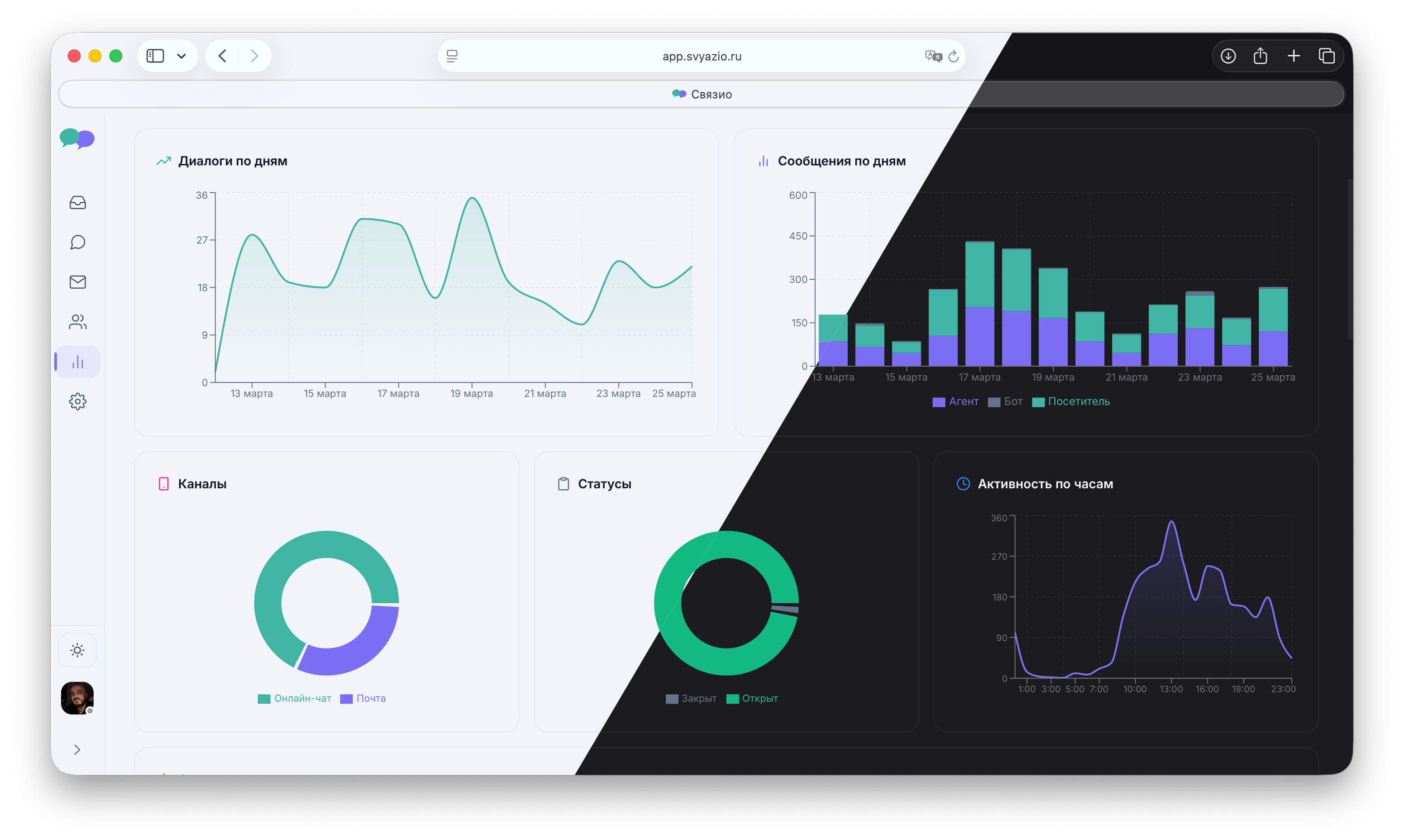
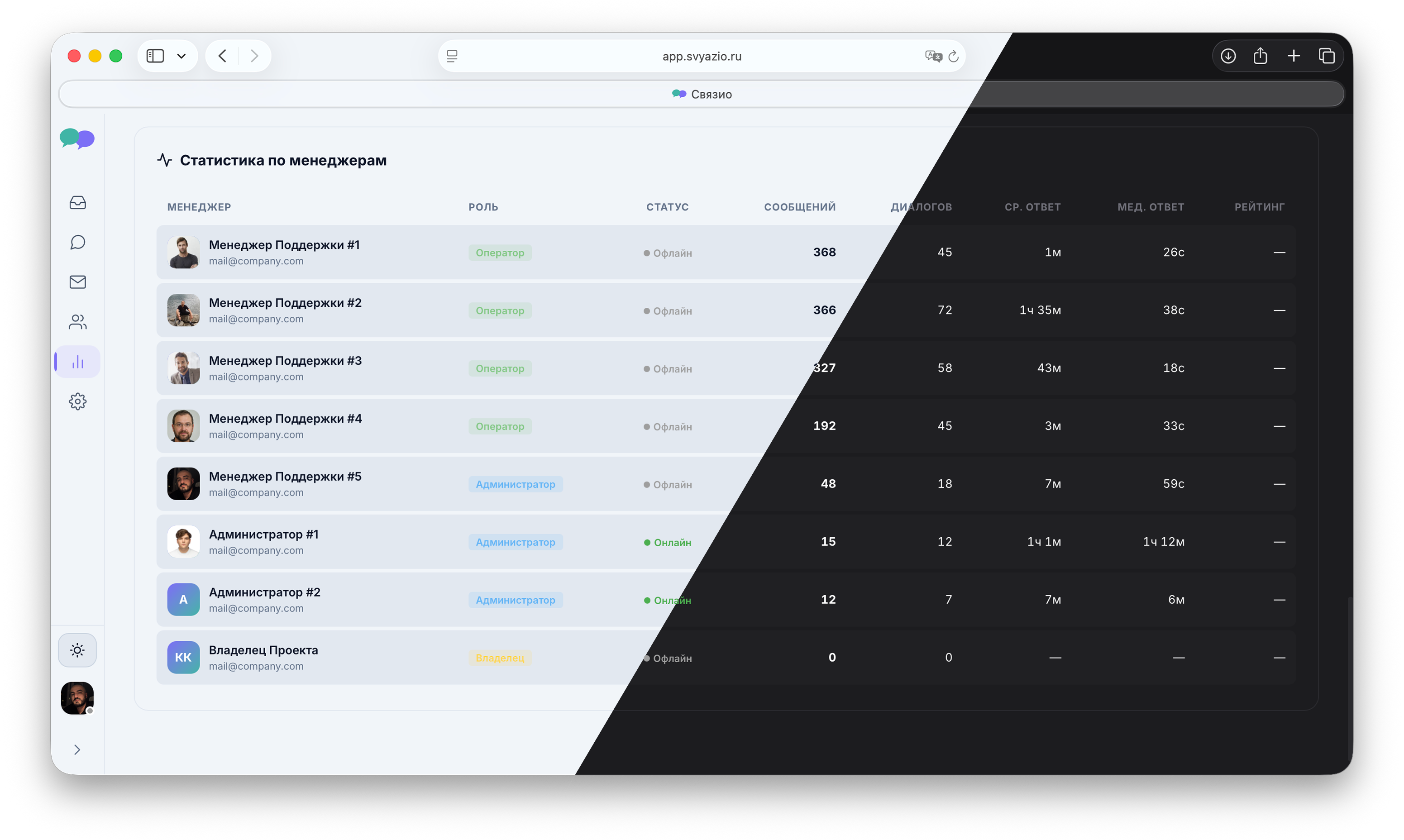
Manage Shopify conversations from Svyazio
Clean, fast dashboard for real-time store support
Why your Shopify store needs live chat
Shopify powers over 4 million online stores worldwide. Most of these stores rely on contact forms or email for customer inquiries — which means slow response times and lost sales. Research by Forrester shows that live chat increases conversions by 3–5× and reduces cart abandonment by 20–30%. For a Shopify store doing $10,000/month in revenue, that's an additional $2,000–3,000/month from simply answering customer questions in real time.
The math is simple: if 100 shoppers visit your checkout page daily and 69 abandon their cart, even converting 5 of those back through chat adds 5 orders per day. At an average order value of $50, that's $250/day — $7,500/month in recovered revenue. Live chat pays for itself on day one.
Svyazio vs Shopify Inbox
Shopify offers its own "Shopify Inbox" for free. So why choose Svyazio? Because Shopify Inbox is limited to Shopify-only chat — it doesn't support email integration, Telegram, saved replies with shortcuts, typing preview, departments, or AI assistance. Svyazio is a multichannel inbox that unifies website chat with Telegram and email.
If your business only needs basic Shopify chat, Shopify Inbox works. But if customers also email you, message your Telegram bot, or if you need saved replies, agent collaboration, and analytics — Svyazio is the upgrade that grows with your business.
Pricing for Shopify store owners
- Free Starter: 1 agent, 50 chats/month — great for new or low-traffic stores
- Business ($19/mo): email + chat, saved replies, typing preview, internal notes — ideal for growing stores
- Pro ($39/mo): + Telegram, AI assistant, departments, analytics, white-label — for high-volume stores and Shopify Plus merchants
Frequently asked questions
</body>. Save. The widget appears instantly on your store. Takes 2 minutes.defer. Doesn't block rendering. CDN-delivered for fast load times. Zero impact on Core Web Vitals.